Configure NetMotion Mobility to work with RADIUS
During this task we will use the NetMotion Server console to configure NetMotion to work with RADIUS.
Before you begin
Ensure that you have the common UDP port and secret key values available.
In your NetMotion Mobility Server console:
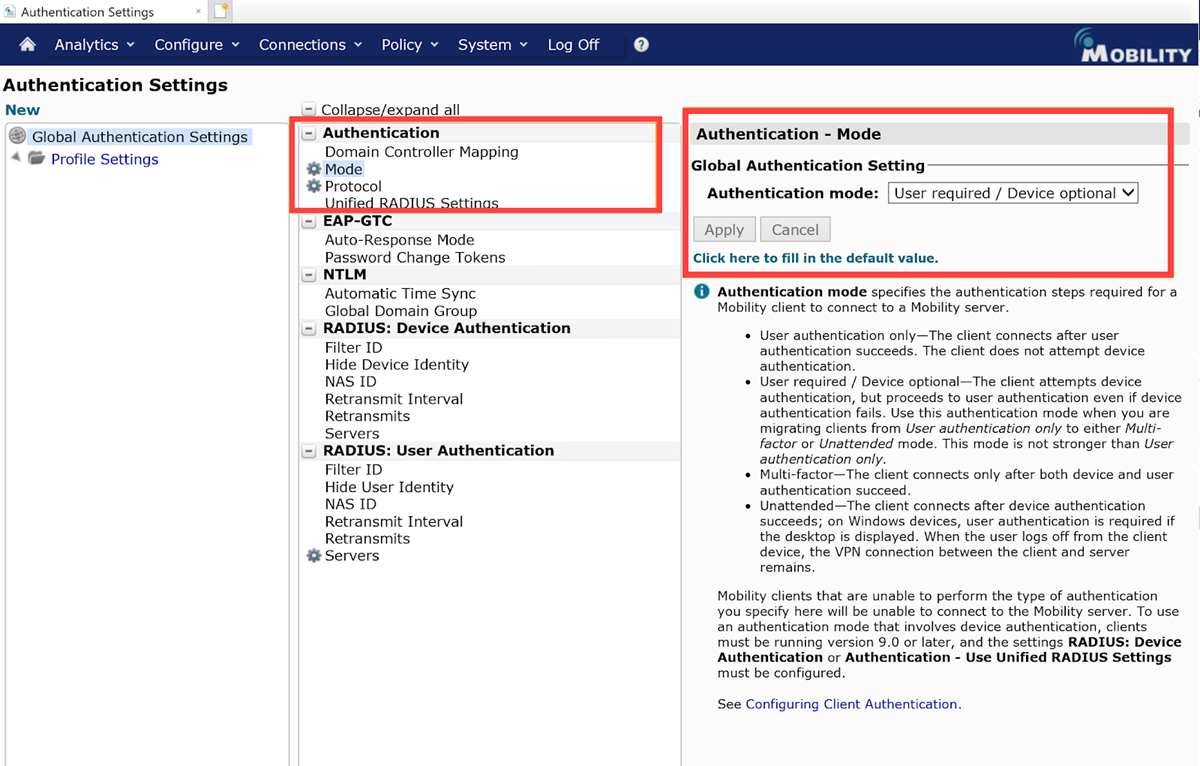
- Navigate to .
- Under , set Authentication Mode = User required or User required/Device Optional.
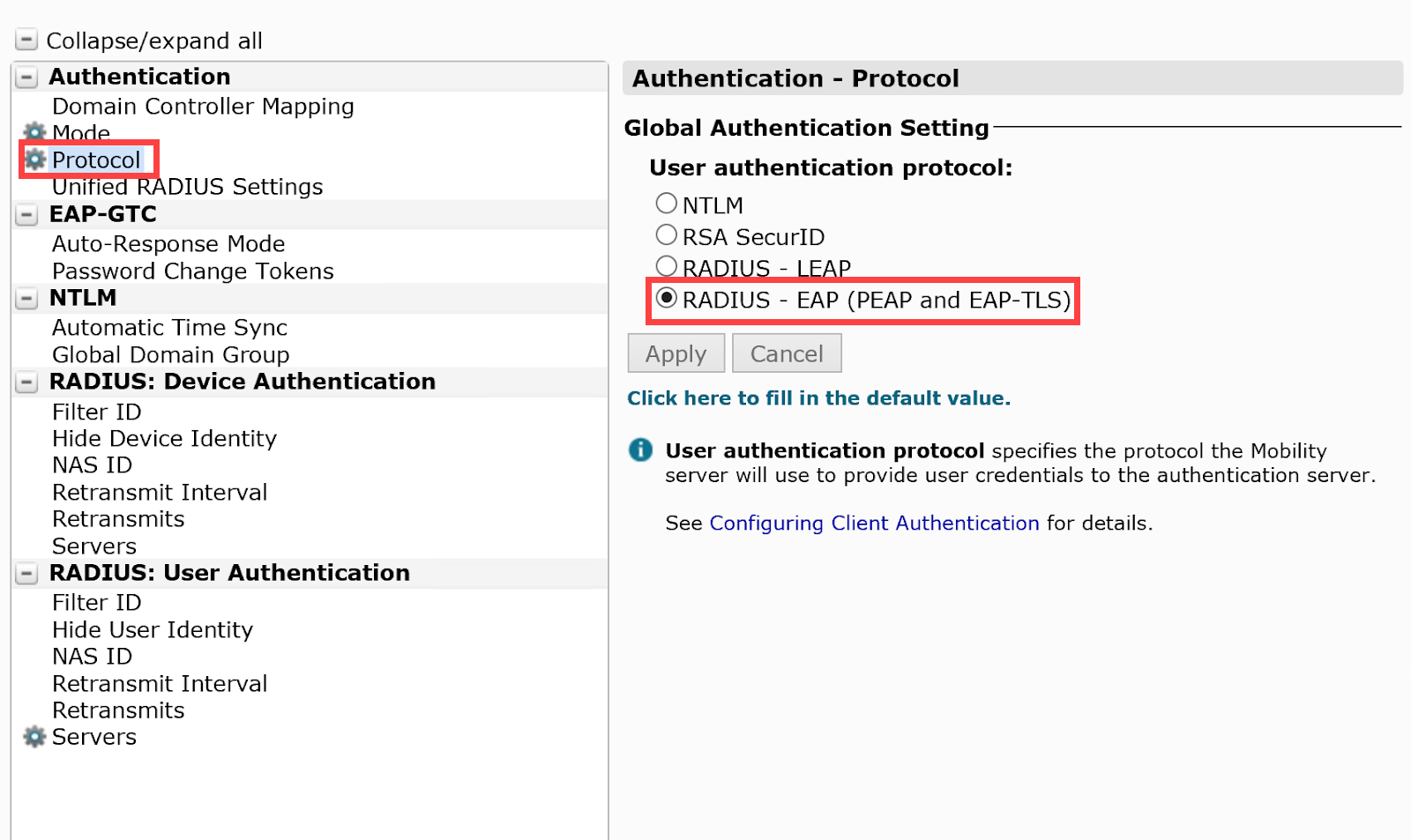
- Under , set User authentication Protocol = RADIUS - EAP (PEAP and EAP-TLS).
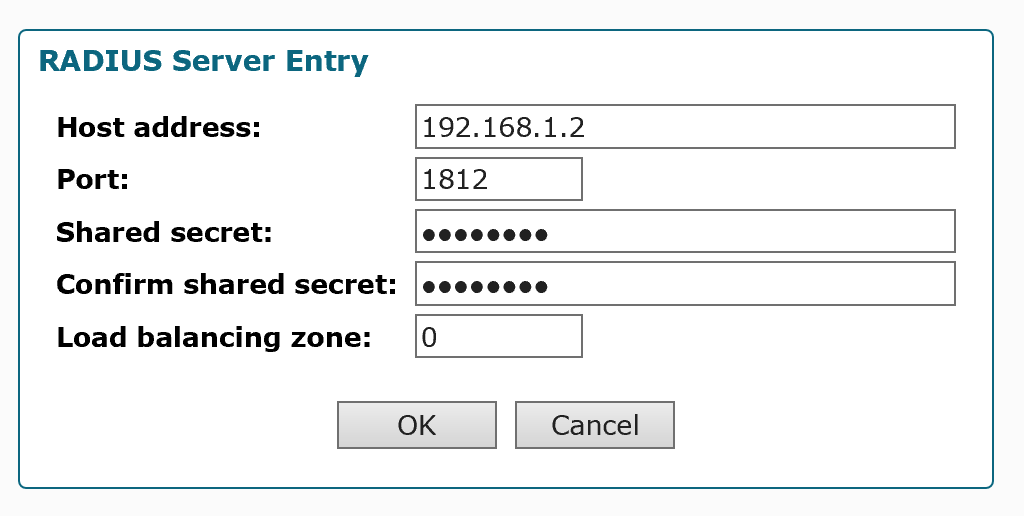
- Under , set the Host address. Port, and Shared secret and click OK.
- Under , set the retransmit interval to 100 seconds.
- For load balanced instances, change load-balancing algorithm for NetMotion.
- Save these settings.